

Only
left until the system officially launches
until the official launch
GPS devices compatible with the new smart tachographs
We offer GPS devices compatible with the new smart tachographs, ensuring fast, trouble-free remote data download.


The new legislation requires smart tachographs – ARE YOU READY?
Since August 21, 2023, all newly registered vehicles must be fitted with second-generation smart tachographs, under the new European legislation.
By December 31, 2024, vehicles with analog or non-smart digital tachographs must be upgraded, and by August 20, 2025, all first-generation tachographs must be replaced.
To download data remotely, GPS devices must be compatible with the new tachographs. CargoTrack offers solutions to help you meet the requirements and avoid disruptions to your operations.
Older GPS devices are not compatible with smart tachographs, which means you will not be able to download data remotely. With CargoTrack, you modernize your fleet and meet legal requirements hassle-free
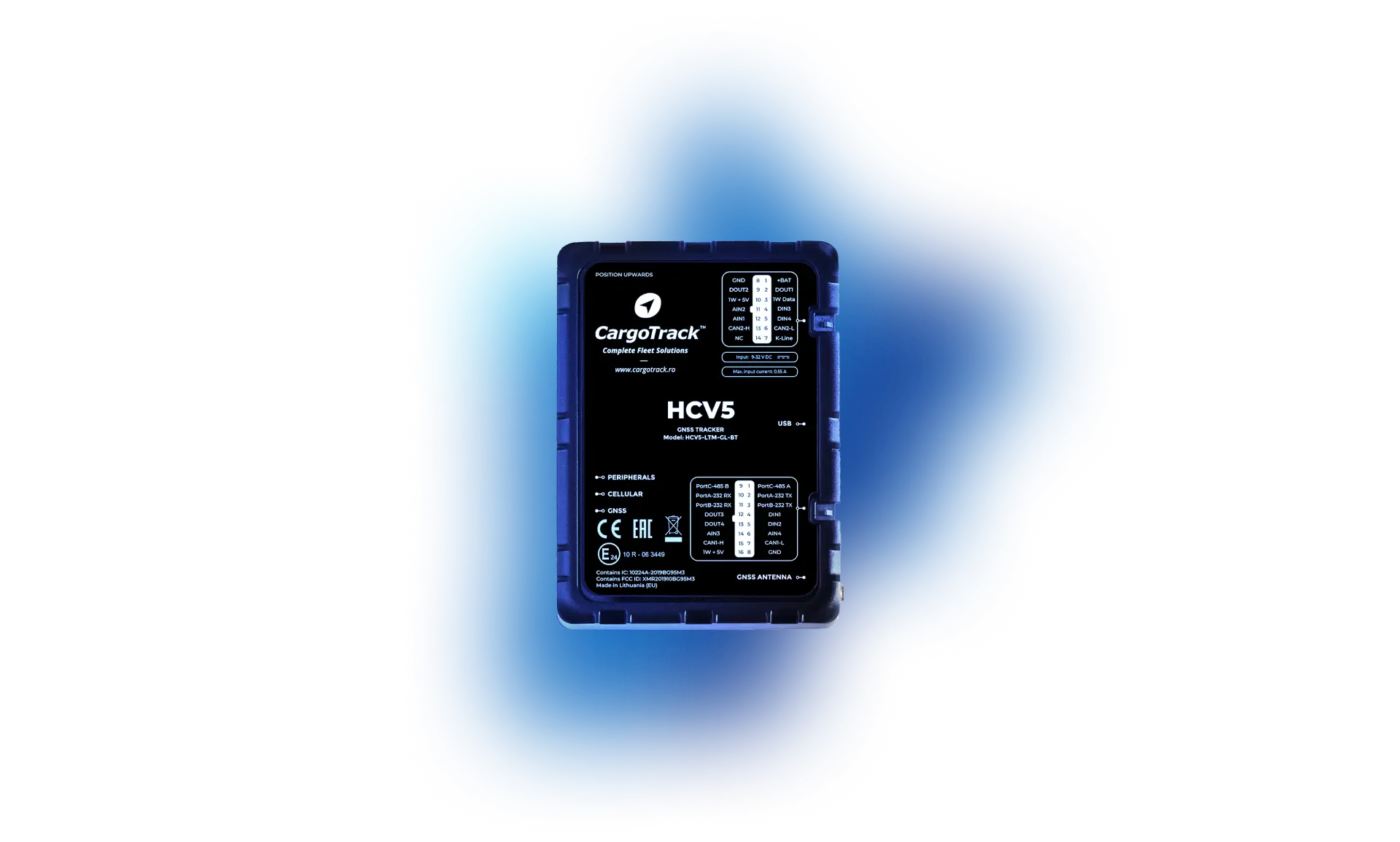
With GPS solutions from CargoTrack, you stay in control your fleet and keep downloading data efficiently, regardless of legislative changes.
What are the Deadlines for Smart Tachograph 2?

December 31, 2024
Trucks and buses over 3.5 tons – all analog or digital tachographs must be replaced with smart tachograph 2
August 20, 2025
Trucks and buses over 3.5 tons – all smart tachographs 1 with smart tachographs 2
July 1, 2026
Small commercial vehicles (2.5-3.5 tons) will have to install a smart tachograph 2
GPS device compatible with the new smart tachographs
Crew display:
Time analysis module:
Tachograph download module:
Tachograph data analysis module (Premium)
Other useful features
- Fuel consumption monitoring
- Real-time tracking and route
- Speed and history
- Route deviations
- “Hot Spots/Geofence” report
- Top speed
- Location sharing
- Low voltage alert
- Fleet and driver document management module
Reports available:
- Trip sheet
- Day/night hours report
- Activity by country report
- Custom reports
- Fuel Level Reports
- Summary reports
Solutions for GPS Fleet Tracking

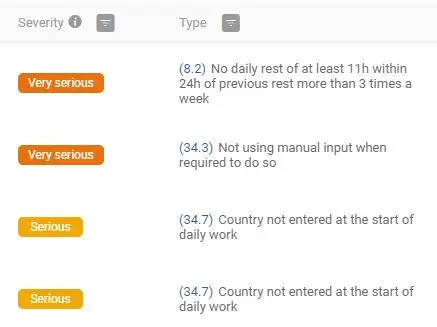
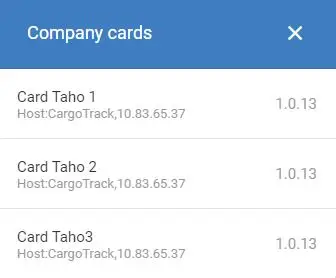
Download data from the tachograph remotely
With the dedicated module in the CargoTrack app, remote tachograph download becomes a simple, efficient task for hauliers. This module lets you not only download tachograph data from anywhere, but also check and analyze in detail the driving times and infringements of each driver and vehicle.
In addition, you can schedule automatic tachograph downloads and generate detailed reports for accurate analysis of activities and compliance with driving regulations. This makes fleet management easier, giving you full control over the data and the efficiency of every trip.
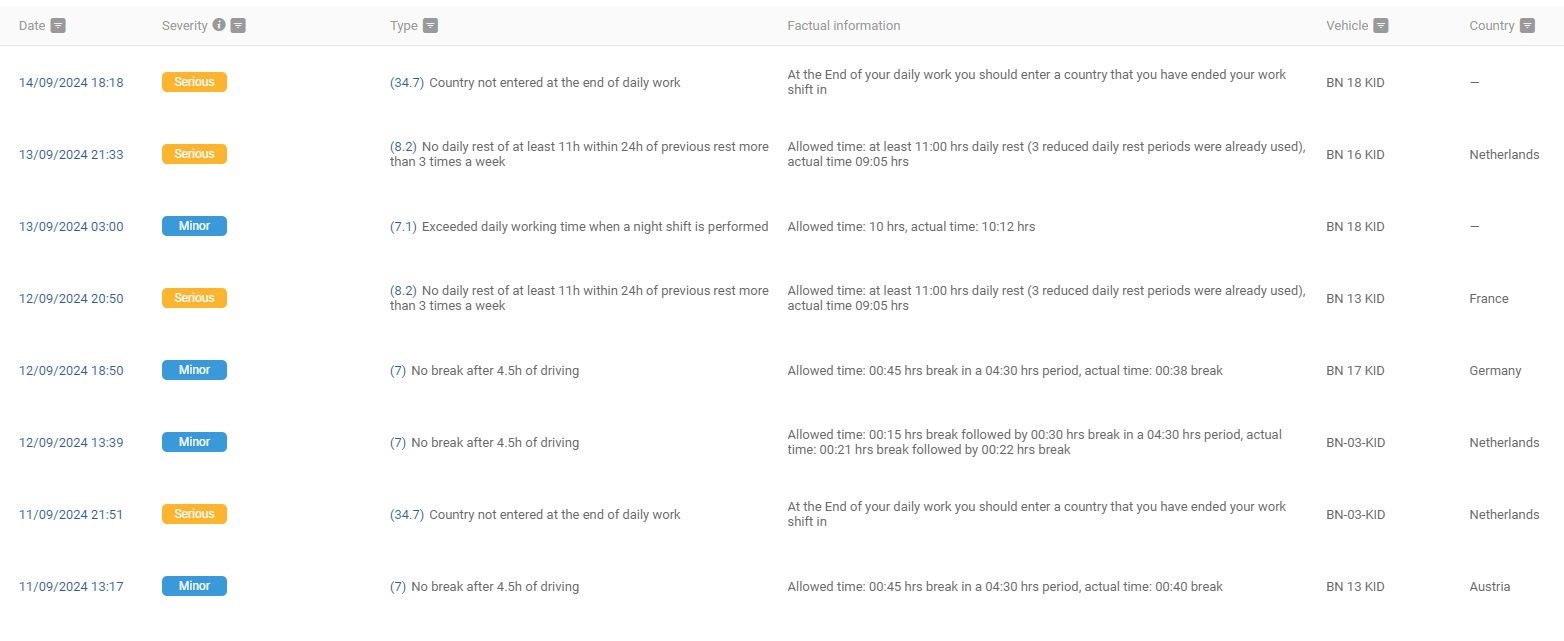
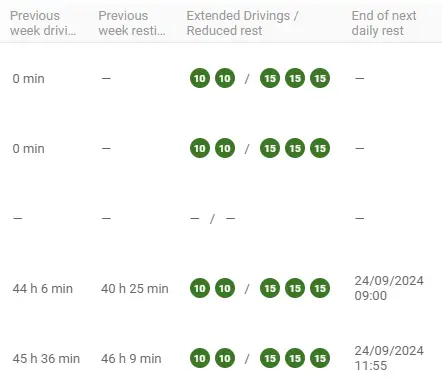
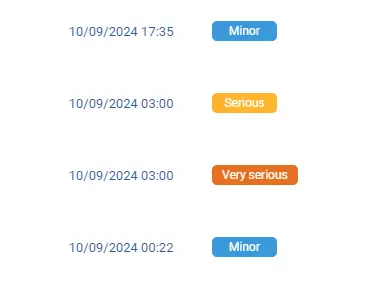
The time analysis module
Fleet managers get quick access to key information on each driver's remaining daily and weekly driving time. The analysis module provides precise details on infringements, including the severity of each one, the exact date and time, the driver involved, and the vehicle driven.
It also specifies the country where the infringements occurred and provides a detailed report for each case, so managers can effectively monitor compliance with regulations and keep the fleet compliant.
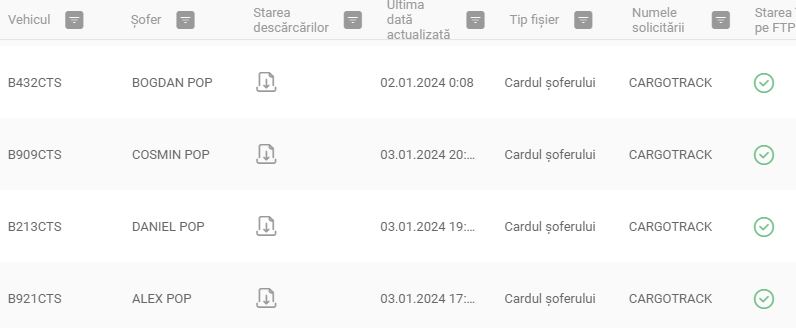
Tachograph analysis and download
The module offers you the following features.
- Tachograph file download in .ddd
- Driver card download
- Create one-time or scheduled downloads
- Driver activity shown graphically over a predefined time interval (driving/activities/rest)
- Infringements of driving and rest period regulations for each individual driver
Driver activity report: driver activity recorded by the tachograph is presented as a report

Hours Hours worked
Fleet managers and dispatchers have an advanced module in the CargoTrack app that lets them generate detailed reports for a complete analysis of driver activity. These reports include information on driving times, each driver's infringements by country crossed, and tachograph data analysis.
Custom reports can also be generated for trips, trip sheets, and hours worked, giving an overview of the activities of every driver and vehicle in the fleet. This suite of reports ensures effective monitoring and regulatory compliance.
Download data from the tachograph remotely
With the dedicated module in the CargoTrack app, remote tachograph download becomes a simple, efficient task for hauliers. This module lets you not only download tachograph data from anywhere, but also check and analyze in detail the driving times and infringements of each driver and vehicle.
In addition, you can schedule automatic tachograph downloads and generate detailed reports for accurate analysis of activities and compliance with driving regulations. This makes fleet management easier, giving you full control over the data and the efficiency of every trip.
The time analysis module
Fleet managers get quick access to key information on each driver's remaining daily and weekly driving time. The analysis module provides precise details on infringements, including the severity of each one, the exact date and time, the driver involved, and the vehicle driven.
It also specifies the country where the infringements occurred and provides a detailed report for each case, so managers can effectively monitor compliance with regulations and keep the fleet compliant.
Tachograph analysis and download
The module offers you the following features.
- Tachograph file download in .ddd
- Driver card download
- Create one-time or scheduled downloads
- Driver activity shown graphically over a predefined time interval (driving/activities/rest)
- Infringements of driving and rest period regulations for each individual driver
Driver activity report: driver activity recorded by the tachograph is presented as a report
Hours Hours worked
Fleet managers and dispatchers have an advanced module in the CargoTrack app that lets them generate detailed reports for a complete analysis of driver activity. These reports include information on driving times, each driver's infringements by country crossed, and tachograph data analysis.
Custom reports can also be generated for trips, trip sheets, and hours worked, giving an overview of the activities of every driver and vehicle in the fleet. This suite of reports ensures effective monitoring and regulatory compliance.
Free installation anywhere in Romania and Europe

Hear from our customers
Make sure you have the right solutions to adapt to the new regulations
Already have smart tachographs?
Haven't installed smart tachographs yet?
Questions and Answers
What is the UIT code?
It is the unique code generated by the RO e-Transport System that identifies a transport of goods.
If the license plate number changes, does the UIT change too?
The only change allowed in the haulier's interface at UIT level is changing the license plate number. If the vehicle changes, the UIT code stays the same.
Where in the app will the e-Transport module be available?
The e-Transport module will be available in the CargoTrack app menu.
What happens if a monitoring device stops working during transport?
If a monitoring device is not working, even if data transmission is turned on in the app, GPS data will not be transmitted to ANAF.
What can we do if a vehicle doesn't have monitoring equipment installed?
Hauliers must install GPS monitoring equipment.
What should be done if the goods are transported to their destination by two or more vehicles?
When the transport is declared, the goods must be on the corresponding vehicle and reflected in the generated UIT code. If there are two vehicles, there must be 2 UIT codes.
If the vehicles are in transit through Romania and I only have a road toll contract, do I also need a GPS transmission contract?
Yes, to use the e-Transport module you must have GPS monitoring equipment installed and an active monitoring contract.
I have multiple transport orders in the vehicle. Do I need to assign a UIT to each one?
Yes, there must be one UIT code for each shipment of goods with the same origin.
If part of the route is subcontracted to another haulier, what is the procedure?
The subcontracting company is required to provide the haulier with the UIT code.
Is this service required for transporting CO2 and helium?
These products are not included in the list of high fiscal risk products.
How do you get access to the e-Transport module in the CargoTrack app?
If you are our customer, with a GPS monitoring device and subscription, you get free access to the e-Transport module.
If you don't have these services with us yet, contact us to get them.
